Parameters
Table of contents
Language Parameter
For documents in languages other than English, it is often necessary to specify the language(s) or script(s). The -l flag allows you to select one or multiple languages, specified by
Languages are specificed by codes 2-4 letters long, such as eng (English), fra (French), or spa (Spanish).
Read more: Tesseract: Languages & Scripts
Example: Set language parameter 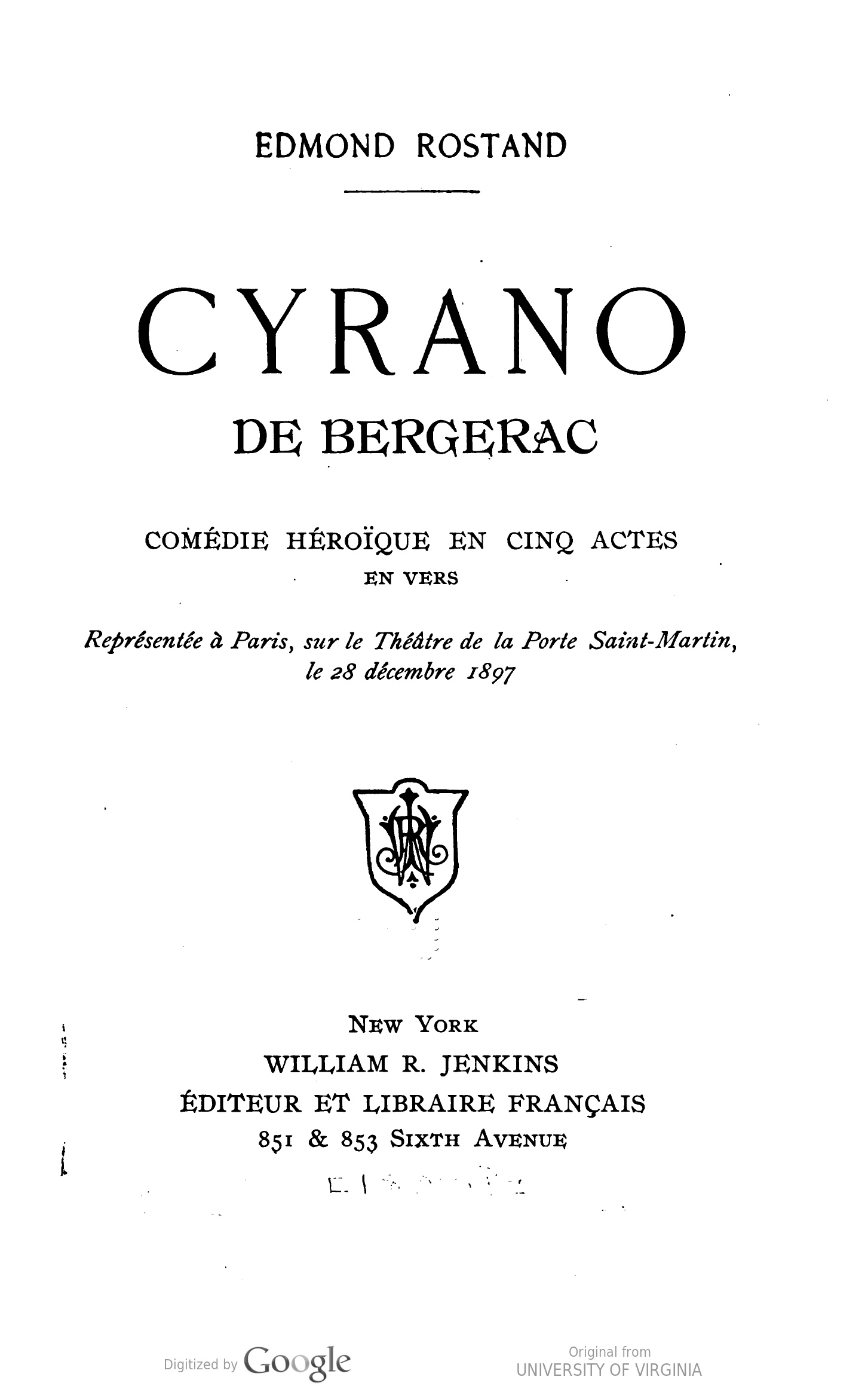
tesseract cyrano_fra_cover.jpg cyrano_fra_cover_out -l fra
Result:
EDMOND ROSTAND

CYRANO

COMÉDIE HÉROÏQUE EN CINQ ACTES
EN VERS

Représentée à Paris, sur le Théâtre de la Porte Saint-Martin,
le 28 décembre 1897


NEw YorK
WILLIAM R. JENKINS
ÉDITEUR ET LIBRAIRE FRANÇAIS
851 & 853 SIXTH AVENUE

cl
Use Lang+Lang for multilingual documents:
tesseract cyrano_fra_cover.jpg cyrano_fra_cover_out -l fra+eng
OCR Engine Modes (OEM)
Tesseract has several modes which offer different approaches to OCR. The older modes (Tesseract 3 and older), implement a classic OCR predictive approach. Newer models use machine learning (LSTM). Tesseract offers little documentation on their models.
View OCR engine models available:
tesseract --help-oem
Output:
OCR Engine modes:
  0    Legacy engine only.
  1    Neural nets LSTM engine only.
  2    Legacy + LSTM engines.
  3    Default, based on what is available.
Not every language or script has been trained for LSTM, so the default mode runs an engine based on what training data is available. The newer approach using LSTM only, --oem 1 is slower, but often produces better results.
Resource: Smith, R. (2007). An Overview of the Tesseract OCR Engine. Ninth International Conference on Document Analysis and Recognition (ICDAR 2007) Vol 2, 629–633.https://doi.org/10.1109/ICDAR.2007.4376991
Page Segmentation Modes (PSM)
Page segmentation refers to the structure of the text on the file, whether the page contains a single block of text, columns, a single word, a word in a circle, etc. Tesseract assumes a single block of text. You can improve text detection by manually setting the page segmentation mode.
Page segmentation modes:
  0    Orientation and script detection (OSD) only.
  1    Automatic page segmentation with OSD.
  2    Automatic page segmentation, but no OSD, or OCR. (not implemented)
  3    Fully automatic page segmentation, but no OSD. (Default)
  4    Assume a single column of text of variable sizes.
  5    Assume a single uniform block of vertically aligned text.
  6    Assume a single uniform block of text.
  7    Treat the image as a single text line.
  8    Treat the image as a single word.
  9    Treat the image as a single word in a circle.
 10    Treat the image as a single character.
 11    Sparse text. Find as much text as possible in no particular order.
 12    Sparse text with OSD.
 13    Raw line. Treat the image as a single text line,
       bypassing hacks that are Tesseract-specific.
Resource: Page segmentation modes explained with clear examples
Example: Improve text detection with PSM
The following example contains a list of characters in two columns.
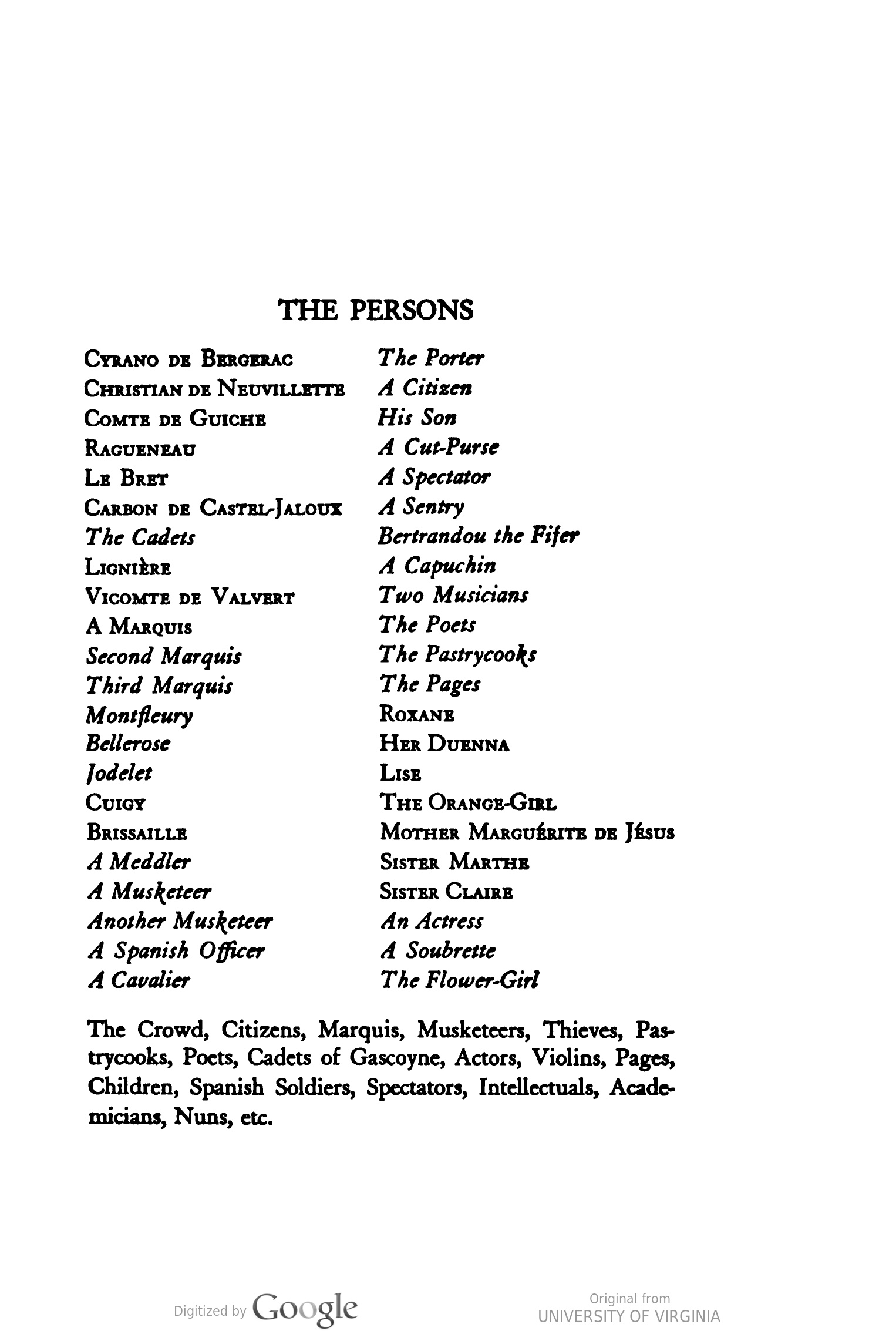
The default page segmentation mode (--psm 3) is fully automated. In this instance, the automated psm fails to recognize the columns on the page. Each character should be listed on its own line.
Input:
tesseract cyrano_eng_persons.jpg cyrano_eng_persons_default
Output:
THE PERSONS

Cyrano pE Brrorrac The Porter
CurisTIAN DE Ngvuvittetre A Citizen

Comre pr GuICHE His Son
RacuENEAU A Cut-Purse

Lz Brer A Spectator
Carson bE Casret-JaLoux A Sentry

The Cadets Bertrandou the Fifer
LicntbRE A Capuchin
VicoMTE DE VALVERT Two Musicians

A Marouts The Poets

Second Marquis The Pastrycooks
Third Marquis The Pages
Montfleury Roxane

Bellerose Her Dusnna
Jodelet Lisz

Cuicy Tue Orance-Gi
BRIssAILLE Moruer MarcufrirTs DE Jésus
A Meddler StsreR MARTHE

A Musketeer StsTER CLAIRE
Another Musketeer An Actress

A Spanish Officer A Soubrette

A Cavalier The Flower-Girl

The Crowd, Citizens, Marquis, Musketeers, Thieves, Pas-
trycooks, Poets, Cadets of Gascoyne, Actors, Violins, Pages,
Children, Spanish Soldiers, Spectators, Intellectuals, Acade-
micians, Nuns, etc.
On this document, PSM 11 (Sparse Text: Find as Much Text as Possible in No Particular Order) does the trick. The Sparse Text model is particularly useful when you don’t care about the order of the text, but rather the text itself. It can also be helpful to retrieve the maximum amount of text from pages with more complex structures (multiple columns, newspapers with advertisements, etc.).
Input:
tesseract cyrano_eng_persons.jpg cyrano_eng_persons_default --psm 11
Output:
THE PERSONS

Cyrano pE Brrorrac

The Porter

CuristTIAN DE NEUVILLETTE

A Citizen

His Son

Comte pr GuicHE

RacuENEAU

A Cut-Purse

Le Brer

A Spectator

Carson DE CasTEL-JALOUX

A Sentry

...
File formats
Can generate multiple types of files:
- txt (default)
- xml (run
alto) - tsv
- searchable pdf (run
pdf) - hocr
It is possible to generate several files at one time. tesseract image.png image-output alto hocr pdf txt Will generate four output files. image-output.alto, image-output.hocr, image-output.pdf, image-output.txt